The short answer
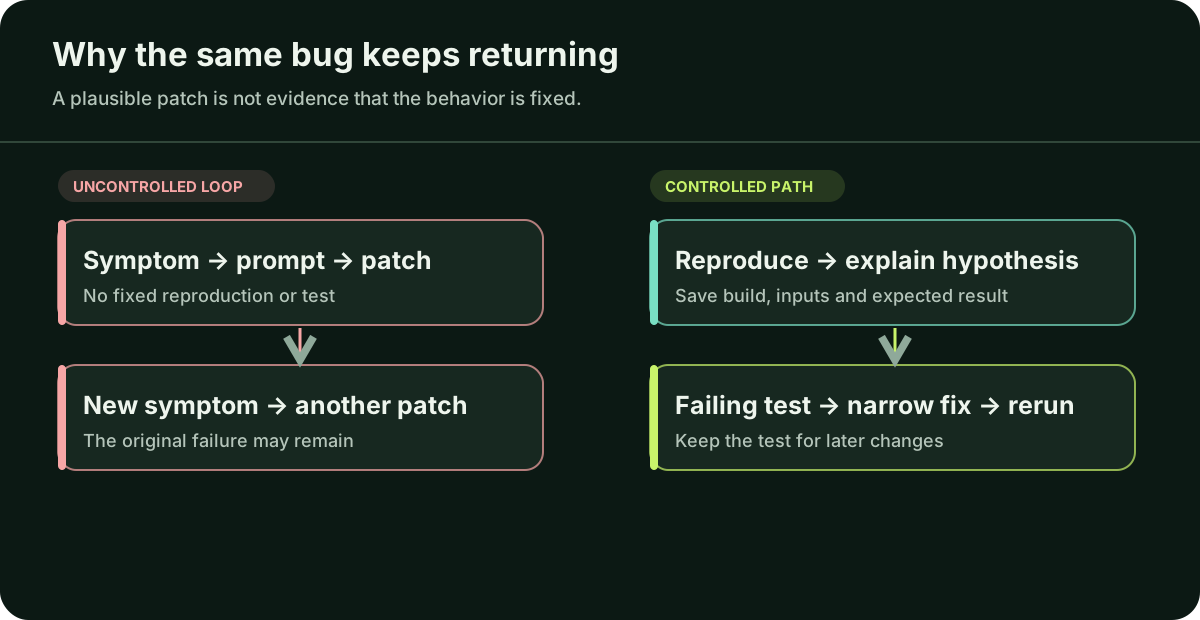
A patch can change shared code, rely on different backend data, or seem correct in a development preview while the installed build still fails. Sometimes nobody reproduced the original fault before editing. Pause new features, choose one failure you can repeat, and record its build, device and account. Find the last version where that action worked. Test a specific hypothesis before changing code, then show that the same check and the nearby journey pass in the relevant build.
How do you keep a way back?
Save the current work in Git and note which build is installed on your test phone. Keep the commit and build reference for the last version that completed the failing task. If there is no history, preserve today’s files and configuration, then begin making small, named commits. That cannot reconstruct a past good build, but it makes the next change traceable.
If real users are losing data, seeing another account’s data or paying without access, pause rollout and seek qualified help promptly. A rollback may help, but verify that the older app still works with the current backend and stored data. Expo’s update deployment and rollback guidance covers one possible release route.
What exactly is broken?
Write an observation, not a diagnosis. For example: “On the Android build installed today, I tap Save, see Saved, close the app, and the item is missing when I reopen it.” “The database is broken” is a guess. Record the action, expected result, actual result, app/build and OS versions, test or production environment, account type and a redacted error or screenshot.
Repeat the path on the same build. If it fails only after installation, a development session is not an equivalent test; Expo distinguishes development and production runtime failures. If it is intermittent, record what varied between attempts instead of declaring success after one good run.
Which change introduced the failure?
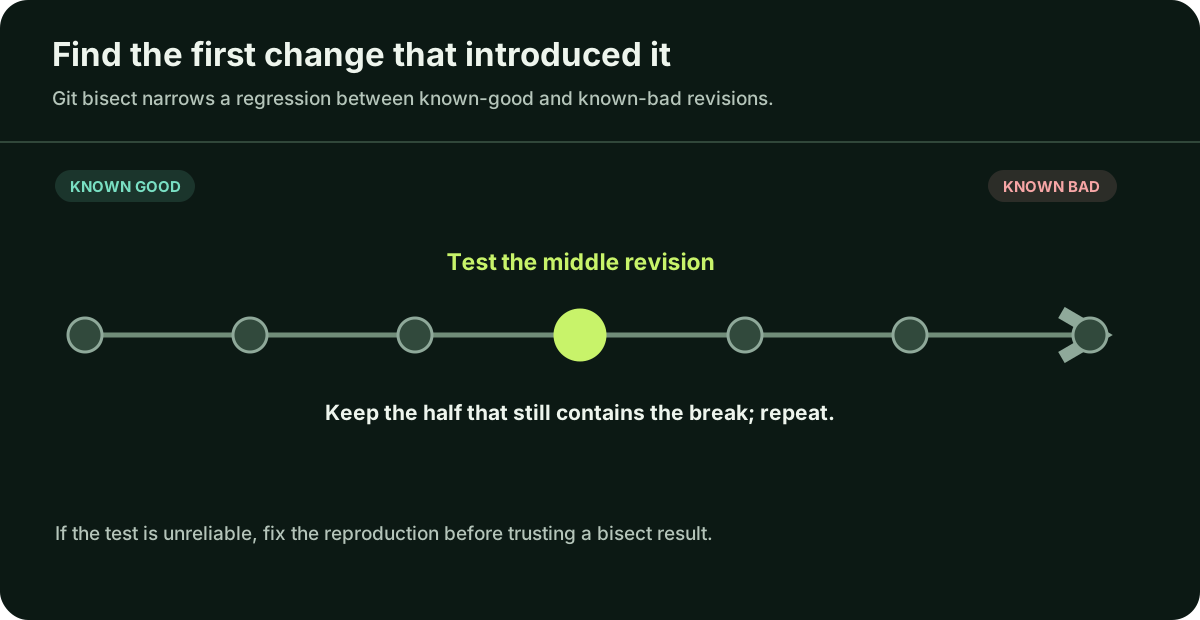
Compare the last working build with the first failing one. Inspect changes to the failing journey and its shared dependencies: sign-in, data model, API request, native package or environment. When the failure is reproducible and intermediate revisions can be tested, an engineer can use git bisect to narrow the first bad commit. That identifies where to inspect, not the root cause by itself.
No known good revision? Start with the earliest runnable build and distinguish “never worked in an installable app” from “worked, then regressed.” If a test sometimes passes at the same revision, make the reproduction reliable before trusting the bisect result.
What must stay true after the fix?
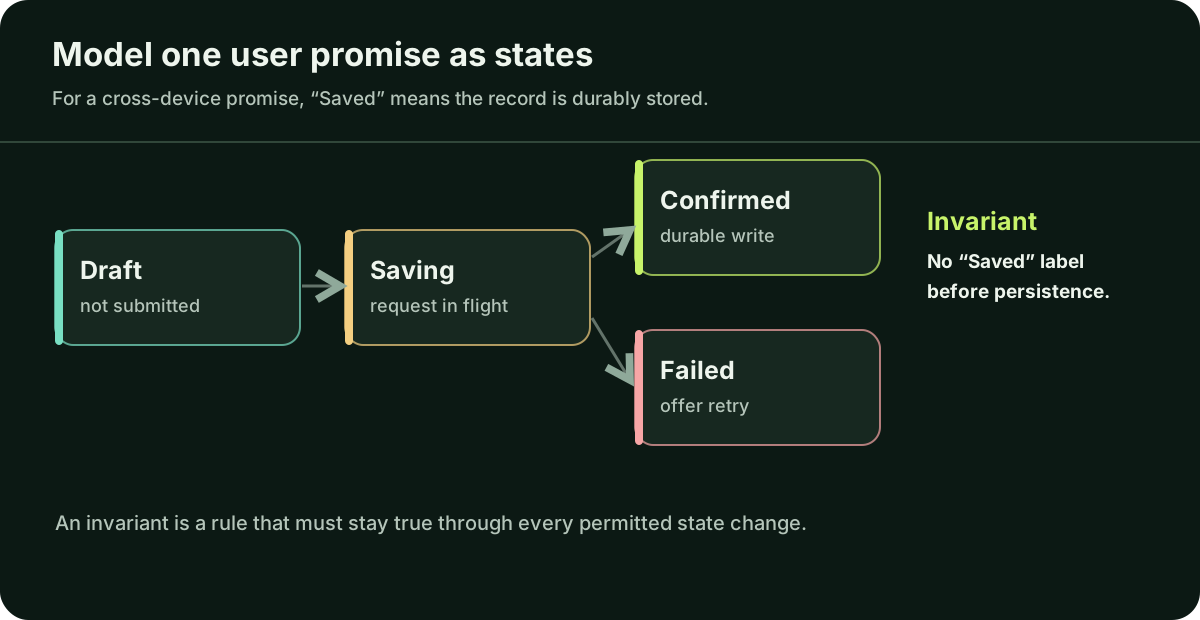
Define one user promise that must survive screens, retries and releases. Engineers call that an invariant. For the save example: after the app confirms Save, the same account can reopen the item; another account cannot see it. Naming that rule exposes the places a patch could appear to work while losing data or weakening access controls.
Map the states of the action: draft → saving → confirmed, or draft → saving → failed. If the promise is that an item will reappear across devices, “Saved” needs evidence that the backend stored it durably; an HTTP response that only accepted work for later is not enough. An offline app may instead say “Saved on this device · syncing” until the server confirms. The failed path needs an understandable retry, and another tap must not silently create a duplicate. This small state model tells you which behavior to test.
How do you know the repair will stay fixed?
Capture a check that fails for the reported bug before the repair. After the smallest change, run it again and repeat the most important nearby journey. Write down “before: failed; after: passed” with the build, device, account and remaining unknowns. A passing check covers that case, not every device or future change.
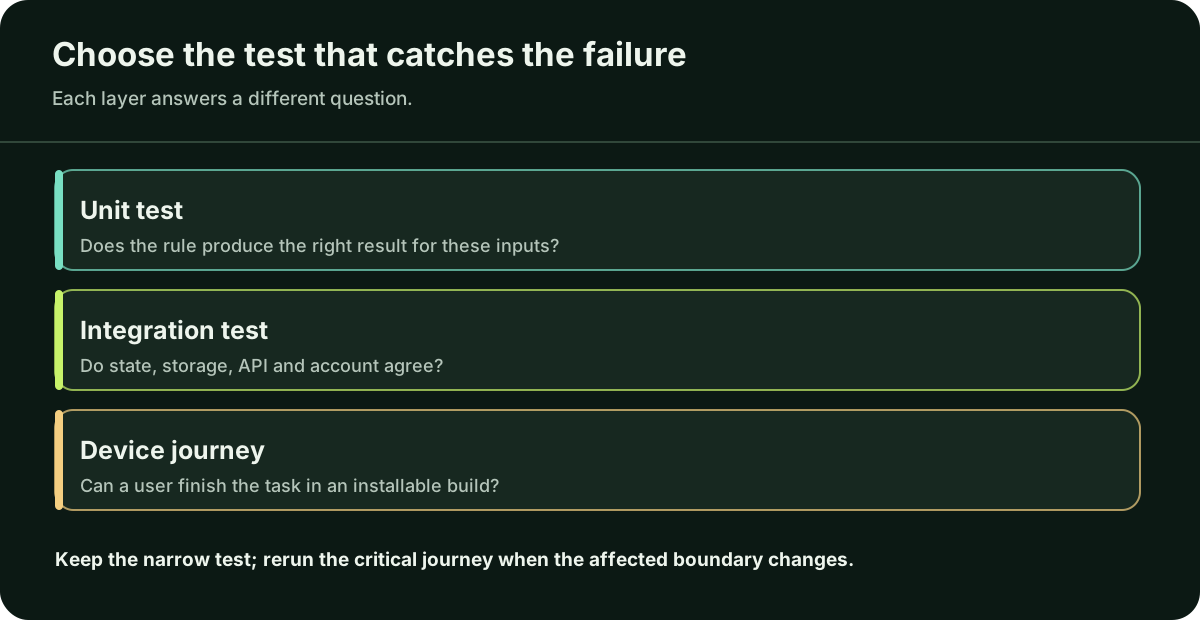
Match the check to the failure. A calculation can use a unit test. Saving through an API needs a check across the service and account boundary. A native crash, sign-in or purchase flow needs an installable app and a device-level journey. React Native’s testing guide explains these levels and notes that JavaScript component tests do not exercise native platform code; Expo documents Jest tests for narrower behavior.
What should you ask the AI assistant to do next?
Give it the evidence first: “Do not edit yet. Here are the steps, build version, expected and actual result, redacted log and last known working commit. Identify the boundaries to inspect, what evidence distinguishes them, and the smallest test that reproduces the failure. Then propose one limited change.” Review the answer against the invariant. Ask which check failed before the fix and passed after it.
Avoid pasting keys, customer records or unredacted logs into a chat. If several attempted fixes have failed, or payments, access or real data are affected, a focused engineer handover is more useful than another broad prompt: repository access, failing path, known good and bad builds, redacted logs and checks already tried.
Questions you may be thinking
Should I ask the AI to rebuild the app from scratch?
First locate the failing boundary and compare it with a working version. A rewrite can be justified, but it replaces behavior you may not have documented and creates a much larger validation task.
Can an AI assistant write the regression test?
It can draft a check from observed steps and expected results. Review the assertion, run it against the failing build, then run it again after the patch; a generated test that was never executed is not proof.
Do passing unit tests mean users are safe?
They cover the logic and cases they exercise. They do not alone prove that a native build, account authorization, payment or production environment works.
Sources
These primary sources support the platform claims in this guide. They were checked on 4 October 2026; check the latest documentation before changing your app.
If repeated fixes still break the same journey, ask a trusted mobile professional to inspect the evidence and the responsible boundary. If you do not have one, Daniel is available for a focused review; describe the failure in the project form or email hello@apptechpartner.com.