The short answer
Yes. The Apple and Google Play policies linked below, checked on 4 October 2026, do not state a blanket ban on AI-assisted code. That is our reading of the published rules, not an approval guarantee. Before submitting, make sure you control the source and the developer account for your chosen platform, can install your own build on a real phone, and can show reviewers a working app with accurate listing and privacy details. Features such as subscriptions or AI-generated content add rules of their own.
What exactly did the AI build?
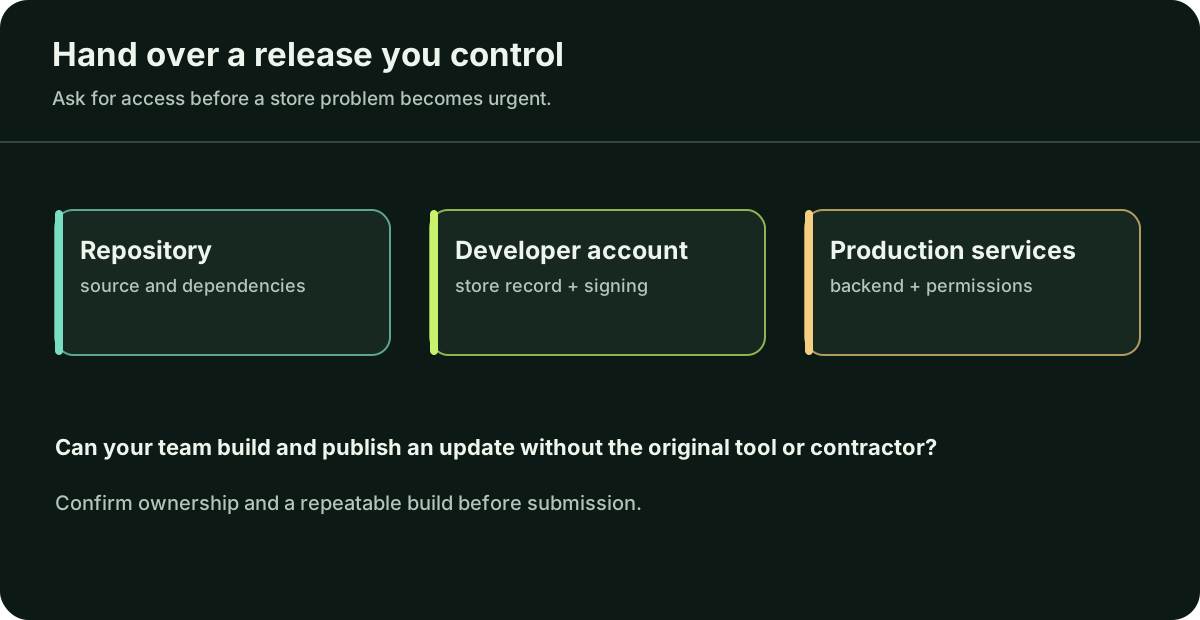
First identify the deliverable. A clickable design, a website in a phone-shaped frame, and an installable iOS or Android app have different release paths. If you have a React Native or Expo repository, confirm that you can build it from source and that the relevant developer account, signing credentials, app identifier, backend and third-party services are controlled by you or your team.
If the project only runs in Expo Go, you still need your own app build. Expo explains why: Expo Go includes a fixed set of native libraries, while a build of your app includes its own native configuration. Ask your builder for the repository and a build you can install under your developer account.
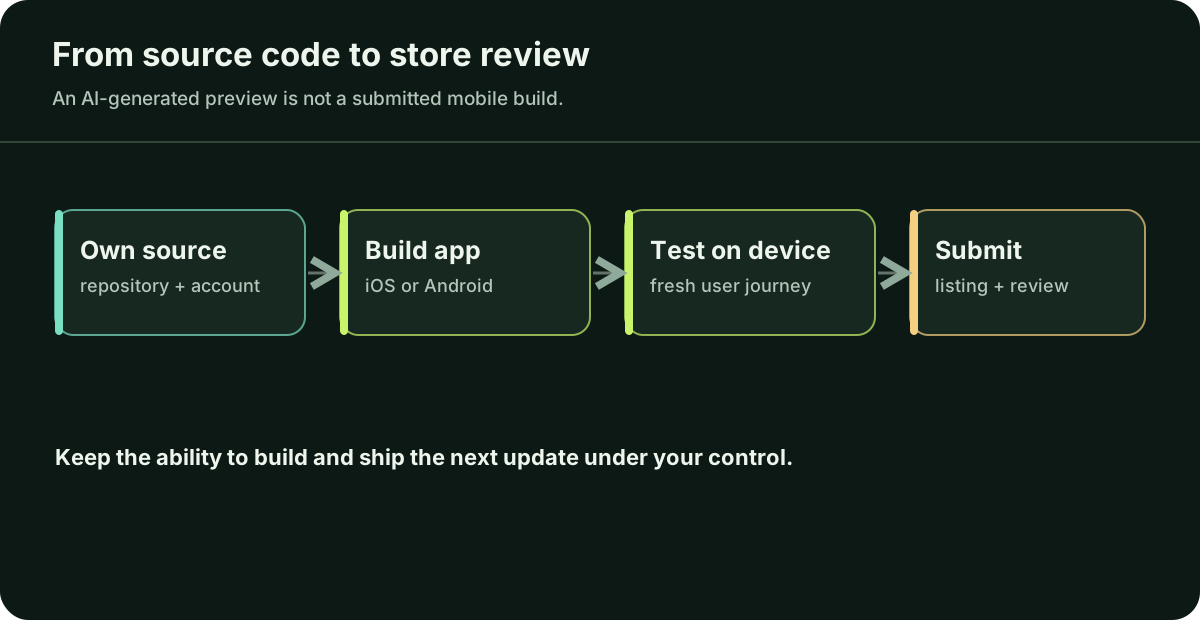
What is the path from source code to a store listing?
- Check your access. Open the repository and developer account yourself. Confirm who can build and ship the next update.
- Build for each platform. Produce an iOS and/or Android build with the app identifier linked to its store record, icon, permissions and production configuration. Install it on a physical device.
- Test before public release. Run the main journey with a fresh account. Use TestFlight for iOS beta feedback and the Google Play test tracks for Android. External TestFlight testing may require beta review. Test purchases, login, notifications and permissions if your app depends on them.
- Prepare the listing. Supply accurate screenshots, description, support/contact information, privacy details and review instructions. Give Apple a working demo account or approved demo mode when login is required.
- Submit and respond. If a store rejects the build, find the guideline or missing information in its note. Reproduce the issue, change the app or listing, and explain the change when you resubmit.
The submission steps are in Apple’s overview and Google Play’s publishing guide.
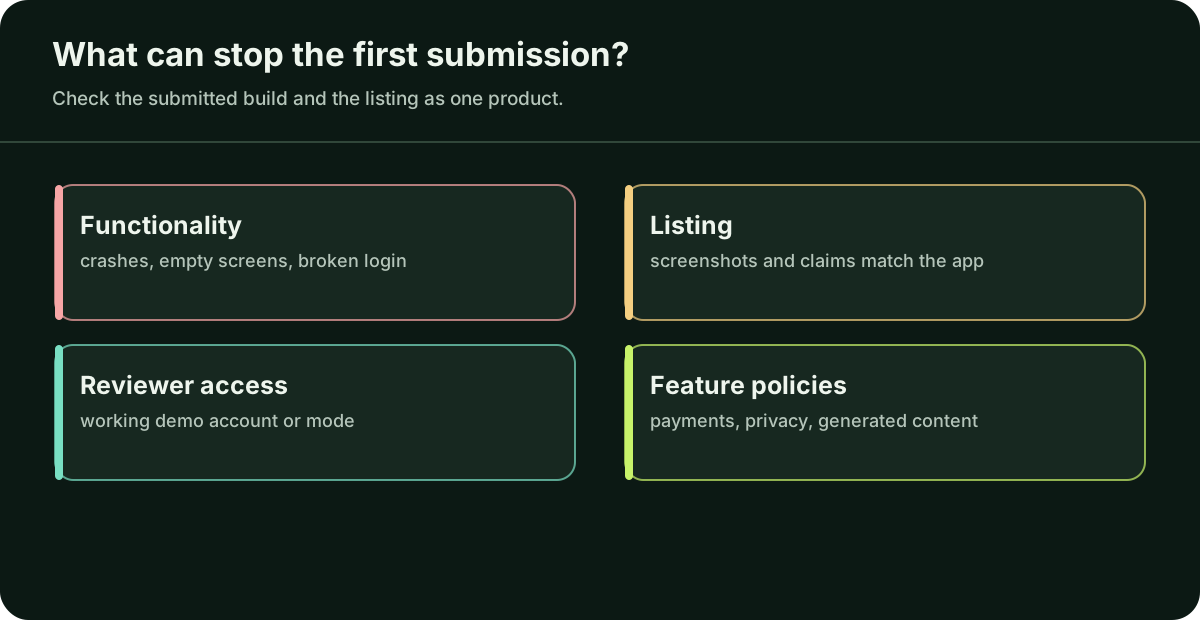
What commonly blocks a first submission?
Apple’s review guidelines ask for a final version, functioning links and on-device testing. A crash, empty screen or login nobody can use can stop review.
Descriptions, screenshots, privacy answers, subscriptions and permissions should reflect what the submitted build actually does. Check third-party SDK data collection too.
For personal Google Play developer accounts created after 13 November 2023, Google currently requires a closed test with at least 12 opted-in testers for 14 continuous days before applying for production access. Check the current rule for your account.
If you sell digital features or subscriptions, check Apple guideline 3.1 and Google Play’s payments policy for your app and market. Health, children’s data and user-generated content have further rules.
Does an AI feature change the answer?
Writing the code with AI and showing AI-generated answers to users are different cases. For apps covered by Google Play’s AI-generated content policy, users must be able to report or flag offensive output inside the app. If the app sends personal data to a third-party AI service, Apple guideline 5.1.2(i) calls for clear disclosure of where the data goes and explicit permission first.
List what a user can enter, what leaves the device and which provider receives it. If that path is unclear, resolve it before inviting real users.
When should I submit, and when should I ask for help?
Submit when you can repeat the production build, complete the main task on real devices, describe the data collected and give reviewers access to relevant features. Know who can build and ship the next update, and from which accounts. If a signing, purchase, permission or review issue remains, bring the exact error or rejection note to an engineer.
If the app has not yet passed a first-user check, start with the readiness guide.
Questions you may be thinking
Does a rejection mean the store banned AI-written code?
Check the reason in the rejection note. It may point to a broken feature, missing reviewer access, inaccurate listing or a policy that applies to what the app does. Fix that specific issue and respond with the change you made.
Does running in Expo Go mean I can submit?
No. Expo Go is a development app. You need your own installable build, configured and tested for the target store.
Do I have to launch on iPhone and Android together?
No. Choose the platform your first users need and complete that release path. Add the other when its build, testing and support are ready.
Sources
These primary sources support the platform claims in this guide. They were checked on 4 October 2026; check the latest documentation before changing your app.
If a build, purchase flow or store rejection is blocking you, bring the exact error to a trusted mobile professional. If you do not have one, Daniel can review an agreed release problem; use the project form or email hello@apptechpartner.com.